Gmail Backup Utility
Gmail Backup Utility is an excellent way to backup complete Gmail data in PST, EML, MSG, MBOX, HTML, ICS, VCARD format on any Windows OS.
Utility for Gmail Backup
  • Safely takes the backup emails along with attachments available in Gmail accounts
  • Allows backup of Gmail emails in PST, EML, MSG, MBOX, HTML, ICS, VCARD formats
  • Proficiently takes the backup of Single as well as multiple personal Gmail accounts
  • Advance option to download complete Google contacts into vCard (VCF) file format
  • Excellently saves Calendars events into vCal or ICS format at desired location on system
  • Performs backup of Google Docs, Spreadsheets, Slides, Images, Videos in effortless way
  • Provides export report in CSV format to analyze the entire backup task nicely
  • Maintain folder hierarchy of Gmail data even during or after the backup process
  • No need to install Microsoft Outlook for conducting the backup of Gmail data
  • User-friendly interface makes backup process so easy; no need of technical expertise

Download Now
Free to Try
       Purchase Now
100% Secure

Key Features

Gmail Backup Utility

Complete Gmail Account Backup

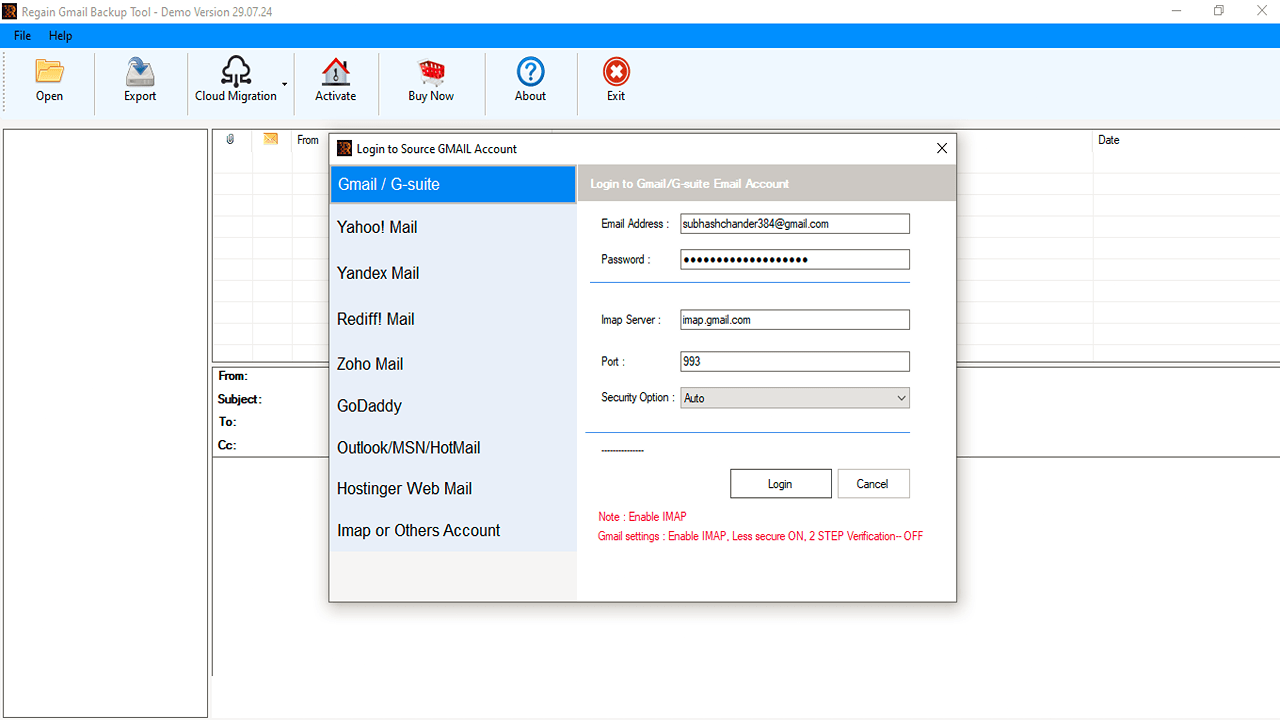
Gmail Backup utility is one of the best way to backup your entire Emails, Contacts, Notes, Calendar Entries, Journals, SRS feeds, Signatures etc, present in your Gmail account. The software is capable to backup all your Gmail data on any Windows operating system by just entering the correct login details of your respective Gmail accounts. This tool facilitates you to backup single as well as multiple Gmail account safely at once in a hassle free way.

Backup Gmail Mailbox in Multiple Formats

Multiple Formats to Backup Gmail Emails

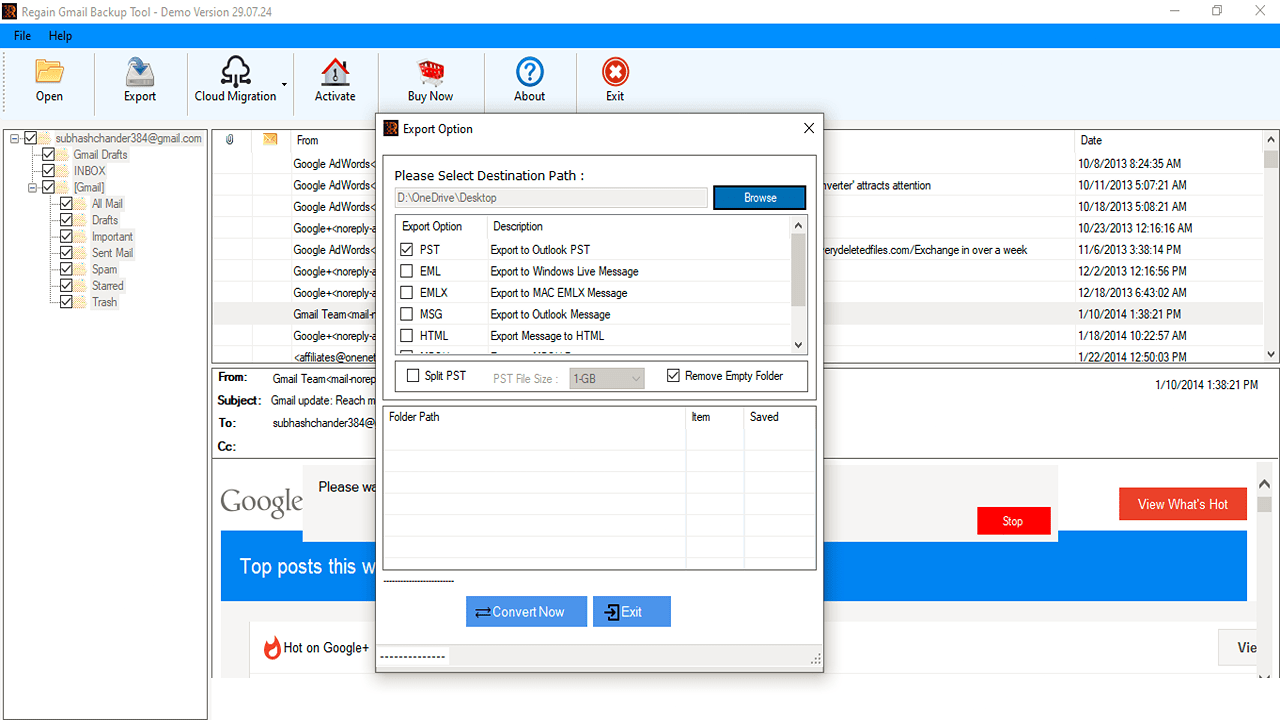
This Gmail Backup utility allows you to take the quick backup of Gmail data in PST, EML, MSG, MBOX, HTML, ICS, VCARD formats with easy and simple process. So that later on you can easily use these files on their supported applications. Moreover, it is an effective and efficient tool that allows you to take the backup of all mail components to any desired location of your choice, such as USB flash drive, local hard drive and any network attached drive.

Backup Gmail Contacts

Gmail Contacts Backup Option

Gmail Backup Utility supports vCard format, and allows you to download multiple Google contacts to vCard format only. The tool creates a secured backup of Gmail contacts to vCard format without data loss. With the help of this tool, you can view the contacts details such as name and date of birth. However this tool also allows you to backup complete Gmail contacts such as home, business number, etc.

Backup all Gmail Events

Download Events of Gmail

Same as emails and contacts, this Gmail Backup tool also allows you to save multiple Gmail Calendar events items into vCal format safely to any desired location on the system. Later on, you can easily import this file on any it’s supported email client to access the events information. You can easily run this software to create a backup of your events attachments, data, meetings, appointments, and more to vCal file type without changing the data contents.

Backup all G-Drive Documents

Backup G-Drive Documents as Original

Gmail Backup Utility offers multi-functionality for backing up Gmail messages to your hard drive and also allows you to easily download all your existing documents in Google Drive in the original format. This software has wide range of feature that creates the backup of Google Drawings in JPEG format, Google Drive Docs in DOC, Google Sheets in XLSX, Slides in PPTX, uploaded Videos and other data available on the system.

Save All Gmail Folders

Export/Import Report in CSV

After taking the complete backup of your Gmail accounts, this Gmail Backup tool generates an export report automatically on the system; this export report contains all the valuable information related to backup task. You can easily view the report details such as Folder Path, Success Count, and Failed Count. You can save this export report on system in CSV file format to use it in future, whenever needed.


Gmail Backup Utility

Intuitive Graphical User Interface

This Gmail Backup Utility has User-friendly and easy GUI Interface. This makes the backup process so easy for the users, So does not require any technical expertise to use the tool. It also provides all the necessary instructions to make things easier even for beginners. Using this tool you can easily download your Gmail backups without any interruption. In addition, it also has some convenient options like smart preview of options before taking backup, option to save backup data at any location on network or system.

Selective Gmail Backup Utility

Selective Gmail Data Backup

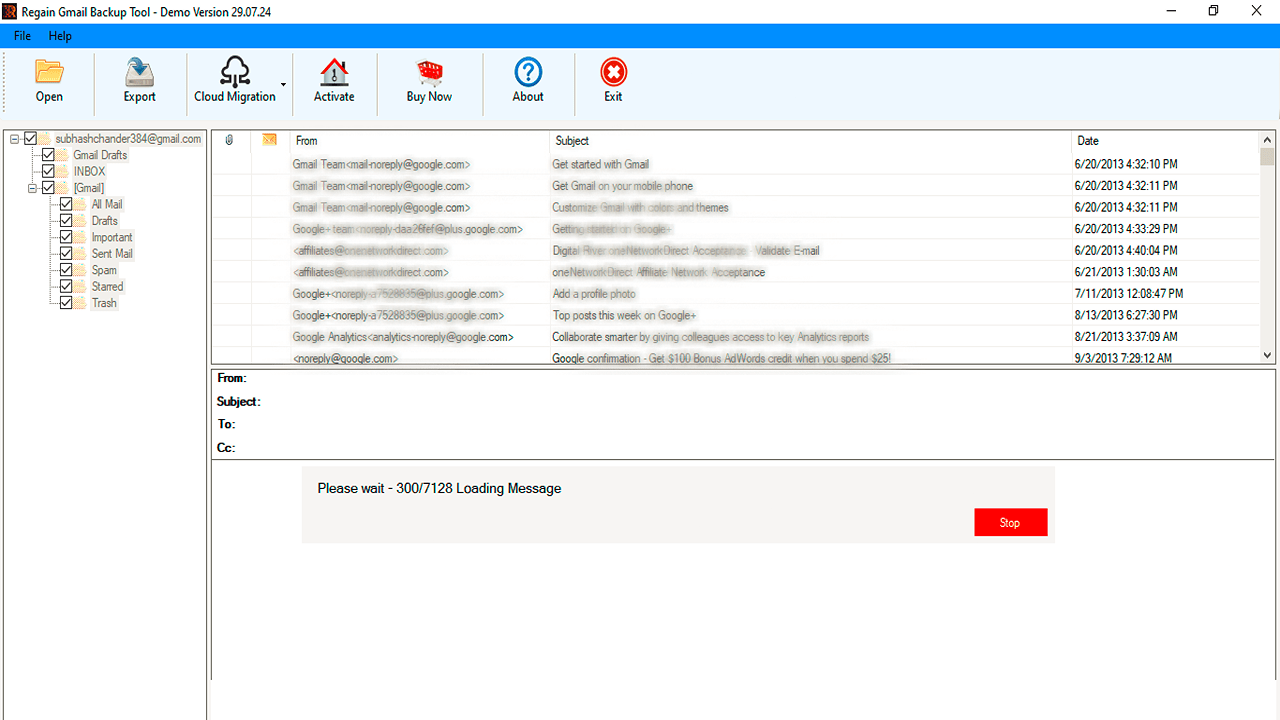
This Gmail Backup Utility offers you an option through which you can easily download some specific data or a specific folder from your Gmail account such as Emails, Contacts, Calendars, and G Drive Documents, etc by just selecting those particular items folders on the interface. Apart from this, you can choose any item folder, and the software will continue for Gmail backup procedure by excluding the rest of the unnecessary files and folders.


Maintain Folder Hierarchy while taking Backup

Maintain Folder Hierarchy

Gmail Backup tool retains the original structure of Metadata of an email while backing up Gmail mailbox to PST and other file formats. Once the backup process completes, you will notice that the original structure of your Gmail account Metadata does not alter. This advance tool does not make any changes in the internal hierarchy of Gmail emails throughout the backup process. This tool is best in terms of data security.

Backup all Gmail Folders

Download Gmail to PST without Outlook

This Gmail backup tool helps you to export Gmail mailbox data to Outlook PST format, and the best thing about it is that you can accomplish this task without installing Outlook on your system. You can easily save your emails and contacts in PST file format without any issues. But if you want to download Gmail calendar items to Outlook PST file format; Outlook installation is required.


Gmail Backup Tool

Option of Pause & Resume

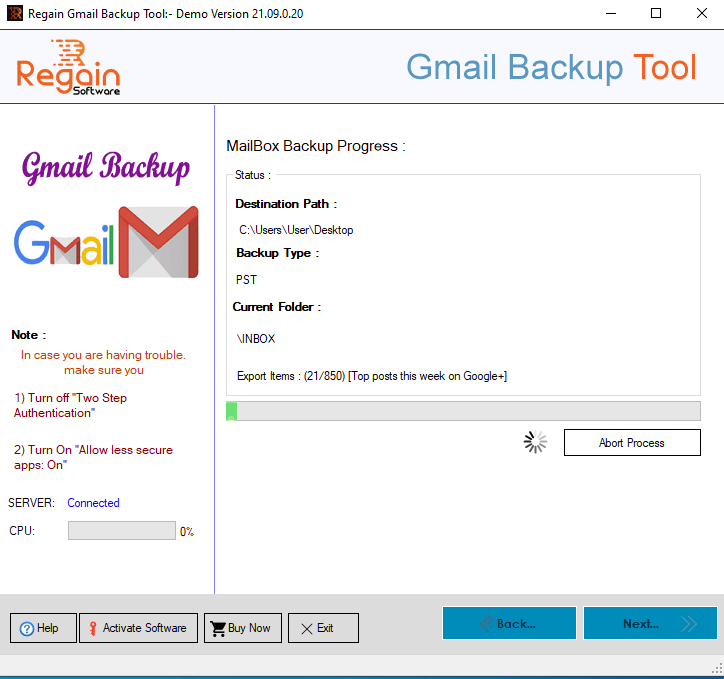
While using this Gmail Backup tool, you can easily take the backup of your Gmail emails without trouble. This tool provides you “Pause” & “Resume” option, which you can use it, to stop the ongoing process in case you lose the internet connection and resume it later when the internet connection establishes. Once you stop the process and resume later, at any time, the software will start the process where it was last stopped.

Support All MS Outlook Version

Support All Windows OS and Outlook Version

This tool support all the latest version of Windows OS and MS Outlook Version. So, User no need to worry about the software compatibility. Use Free trial version to check the software capability and its working process.

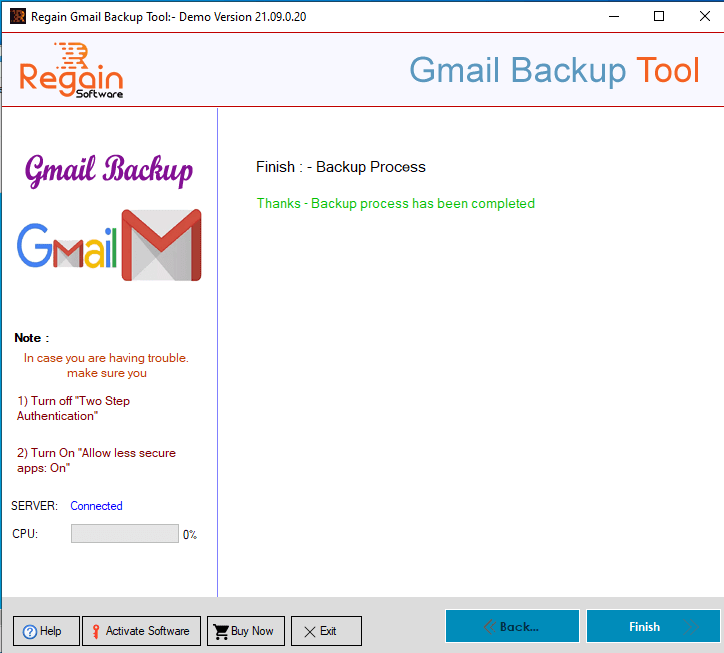
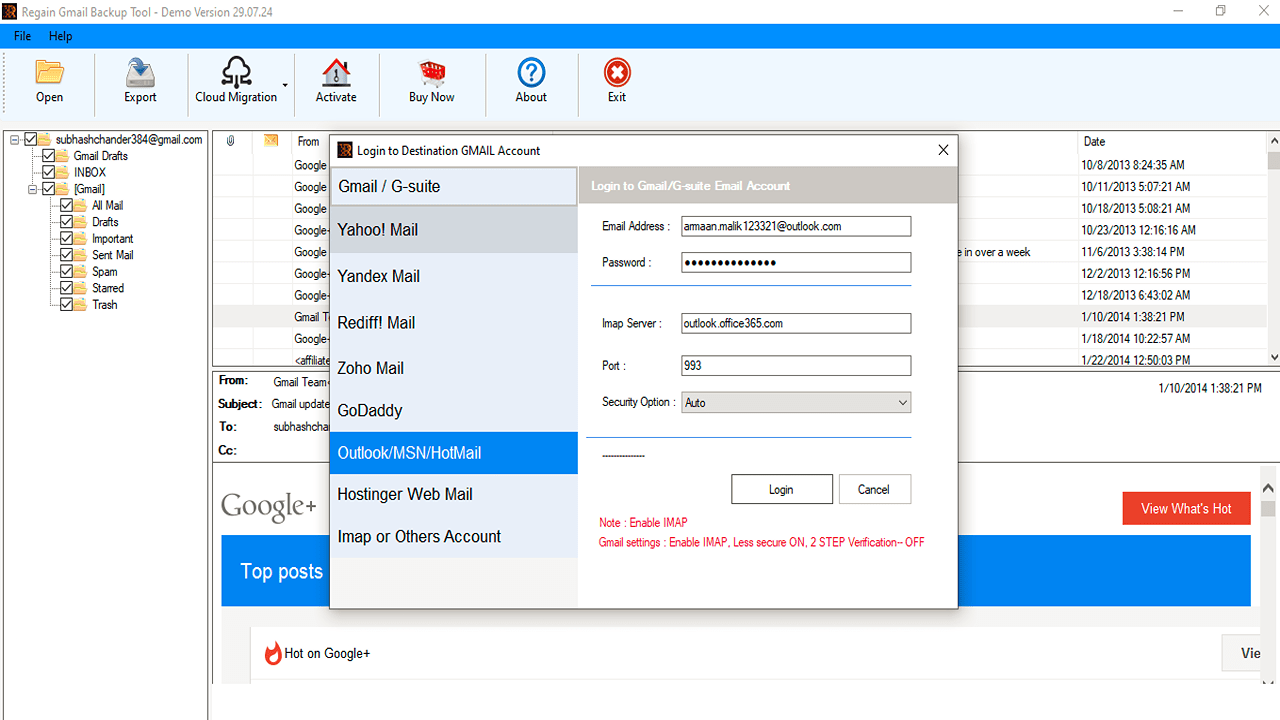
Gmail Backup Utility – Screenshots

Working Video - Gmail Backup Utility

Frequently Asked Question

No problem, while backing up Gmail in PST, EML, MSG, MBOX, HTML, ICS, VCARD formats, the software has pause and resume options. You do not need to restart a backup process from the beginning. Click the "Resume" button to start from where you left off.

The time it takes to back up your Gmail email account depends entirely on your internet speed and the amount of data you can back up.

No, there is no limit to the number of Gmail accounts that you can back up with Gmail Backup tool.

No, it does not recover lost Gmail passwords. Gmail Backup Utility is designed to back up only your Gmail account data such as email, contacts, calendar and documents, and account holders need an email ID and password to save Gmail data in PST, EML, MSG, MBOX, HTML, ICS, VCARD formats.

Yes, you can install and run it smoothly without Outlook. If you want to backup Gmail Calendar to PST file format, at that time it is necessary for you to install the Outlook.

Yes, you can save Gmail data on PC, hard drive and other external drives with Gmail Backup Tool.

Gmail Backup Tool – Client Reviews